The starting point
The Lesson Editor is the tool customers use to create their training content — the most-used tool in the product. A tool used this often forgives no friction: every small stumbling block multiplies across thousands of sessions into real frustration and support volume.
Over time, UX debt had accumulated in the editor — unclear publishing states, inconsistent drag-and-drop, missing bulk actions, uncertainty about what employees actually see at the end. At the same time, the market had shifted: AI-assisted authoring became standard in 2026. The question was therefore double: where exactly does it break for our users today — and where does the editor stand against the competition?
Usability testing
I designed and ran usability tests with customers to make friction points in the editor systematically visible — not from assumption, but from observed behaviour.
The test followed a clear structure: an introductory interview covering role, content creation process, used modules, language requirements and team collaboration — followed by concrete tasks along the real workflow: create a new lesson, build modules, use a Genius (AI) module, build a quiz, translate, edit languages, reorder, crop an image, delete.
Deliberately with Think-Aloud and a frame that encouraged participants to treat mistakes as product signals — not personal failures. Targeted probes surfaced the deeper patterns: ‘What tells you the next step?’, ‘How confident do you feel right now from 1–5?’, ‘Which three spots cost you the most time?‘
Customer needs analysis
From tests, feedback and requests I brought together the needs in a structured way, clustered by editor area. This turned a long, unordered wishlist into a topic-sorted picture of real needs, with a clear separation between acute problems (🚧) and new feature ideas (🆕).
The most urgent areas: unclear publishing states and draft visibility, inconsistent drag-and-drop across hierarchy levels, missing bulk actions, and lack of clarity about what employees actually see.
Needs clustered by editor area
Competitive benchmark: 15 tools, 7 clusters
To complement the internal view with an outside perspective, I built a comprehensive benchmark across 15 tools — DACH/EU LMS, international authoring tools and AI-native tools — evaluated over 7 feature clusters: lesson structure, AI generation, AI reprompting, quiz/assessment, media/avatar/voice, localisation, and collaboration/publishing.
The central finding: the biggest UX gap isn’t a missing feature — it’s a missing interaction paradigm. Sana, Rise, 360Learning, Coursebox and Flip all have inline AI directly in the block editor. In doinstruct, Genius runs parallel — as a separate trigger per module, not inside the block being edited. That’s the gap.
The good news: doinstruct leads on reprompting depth — all quiz/card/image/voiceover regeneration flows have been live since Q4 2025. And Slide-to-Video remains a genuine differentiator: only Synthesia has comparable capability.
For this I developed my own framework — a classification of five content creation paradigms that asks not ‘what can a tool do’ but ‘how does the person interact with it’.
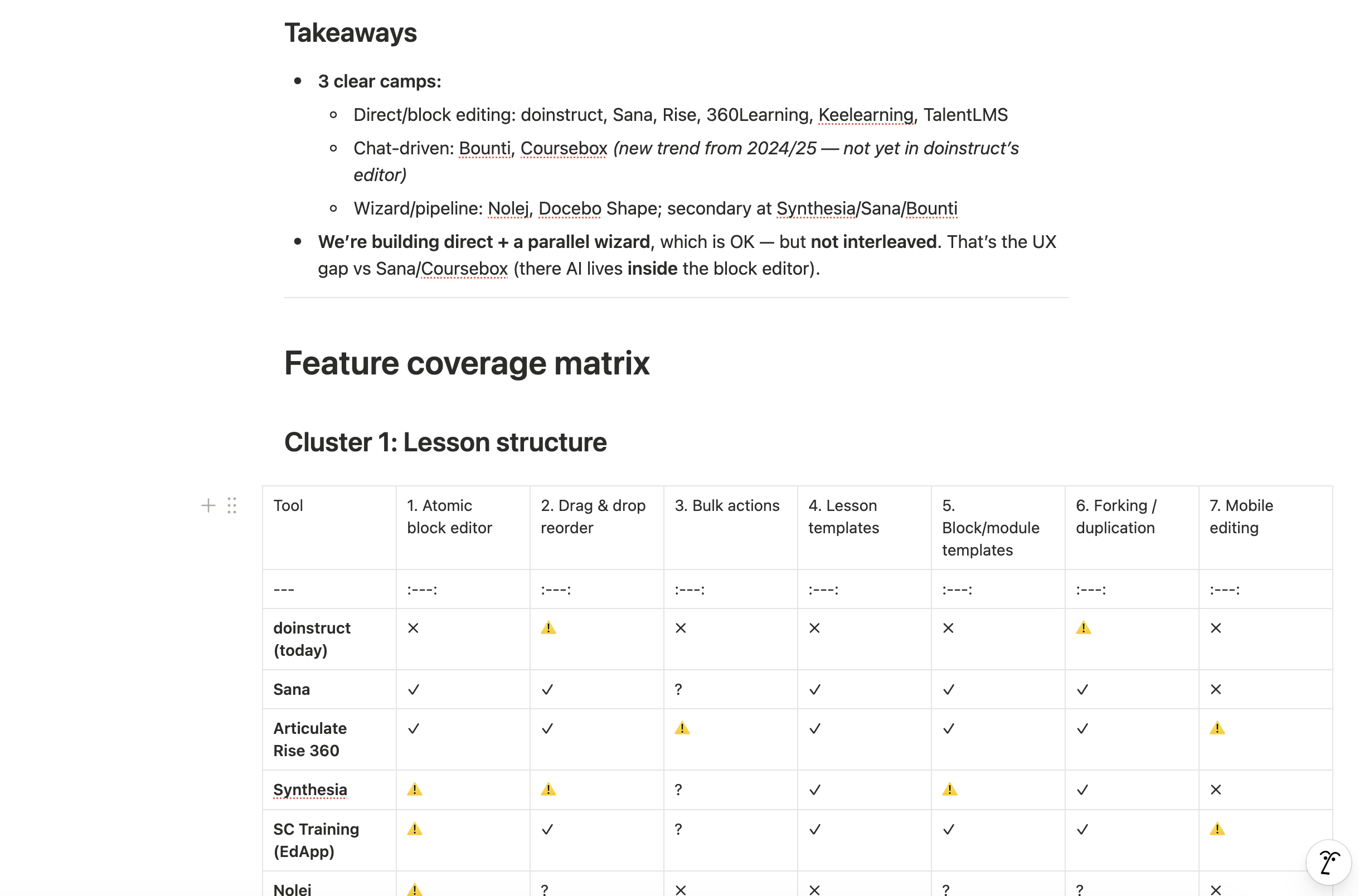
Competitive benchmark — 15 tools evaluated across 7 feature clusters
5 Content Creation Paradigms — how people create, not what tools offer
Key gaps identified
Three tiers of findings came out of the benchmark:
Tier 1 — Address in V2: Inline AI per block (the UX gap vs Sana/Rise/Coursebox), consistent drag-and-drop across all levels, bulk actions, live device preview, yes/no quiz type.
Tier 2 — Next investments: Real-time co-editing, approval workflow with inline comments, open-question AI grading, URL/web-to-course generation.
Tier 3 — Longer horizon: Spaced repetition, interactive video (quiz/hotspots in video), mobile editing.
Strengths to protect and communicate: Slide-to-Video (only us + Synthesia), reprompting depth (all regen flows live since Q4 2025), SSML/pronunciation editor, partial translation per module.
Prototype — with a colleague from Design
Based on the research I developed the prototype for Lesson Editor V2 together with a colleague from Design. My research provided the foundation — the prioritised pain points, the customer needs and the benchmark insights — and we worked out the solution together in Figma.
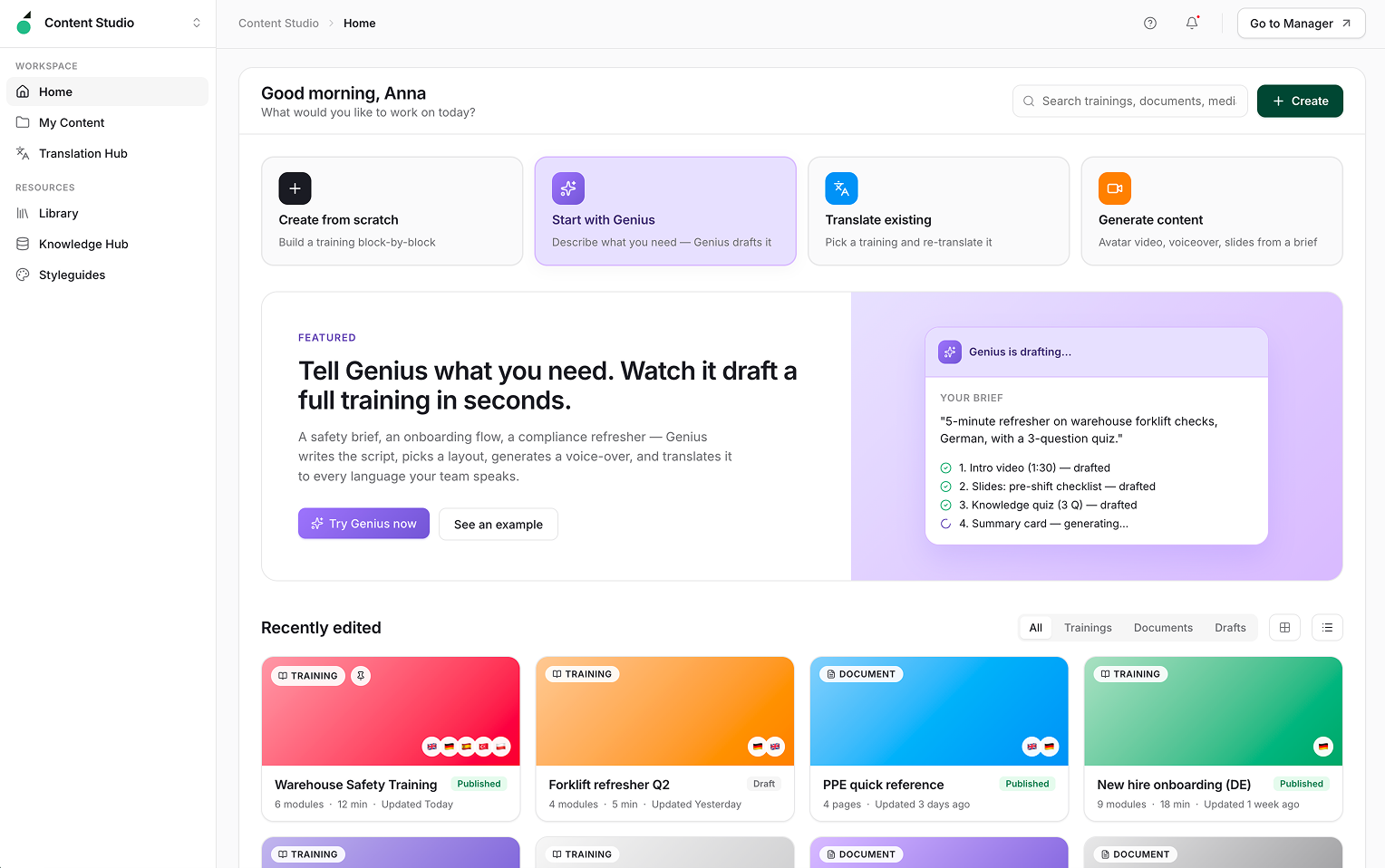
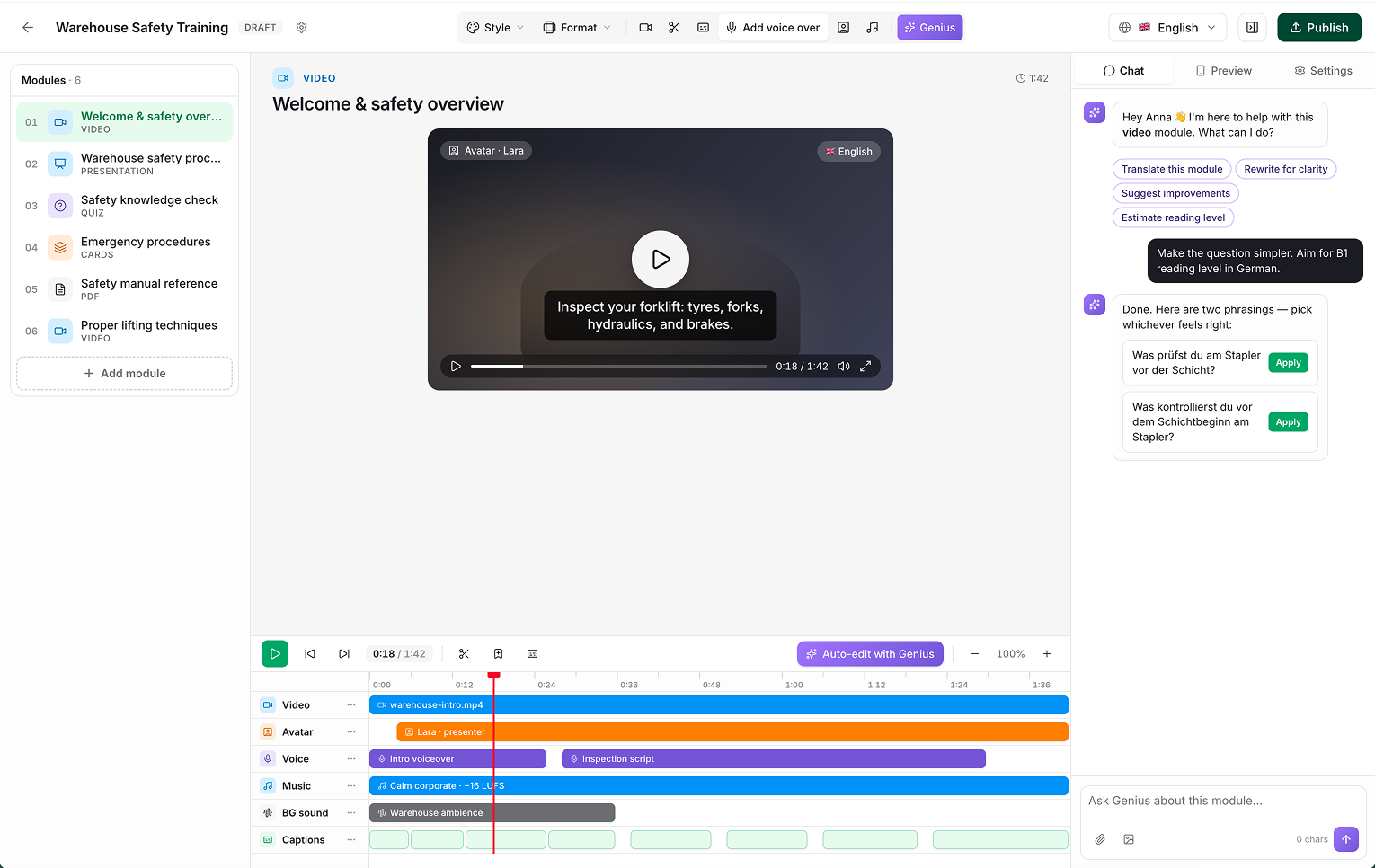
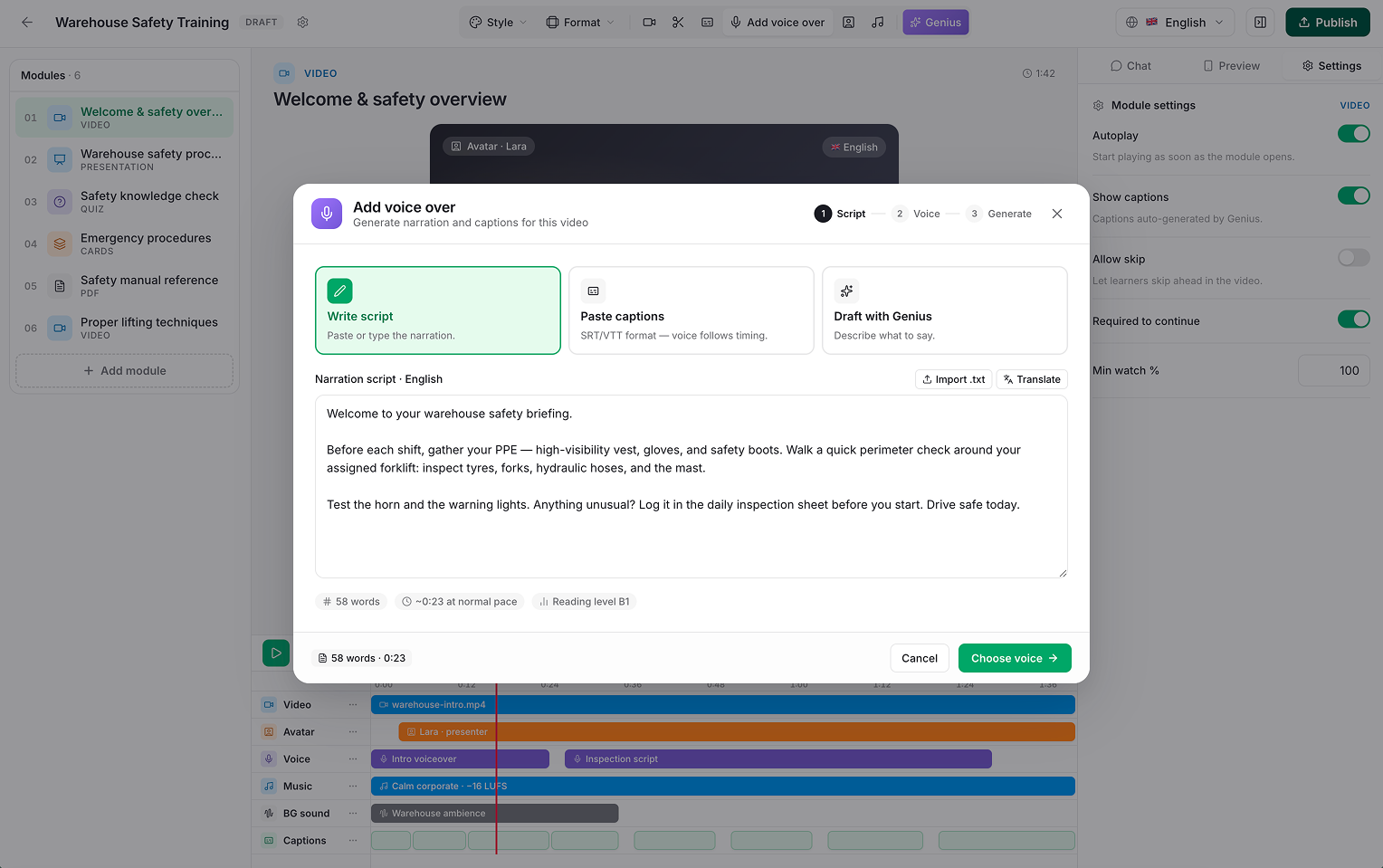
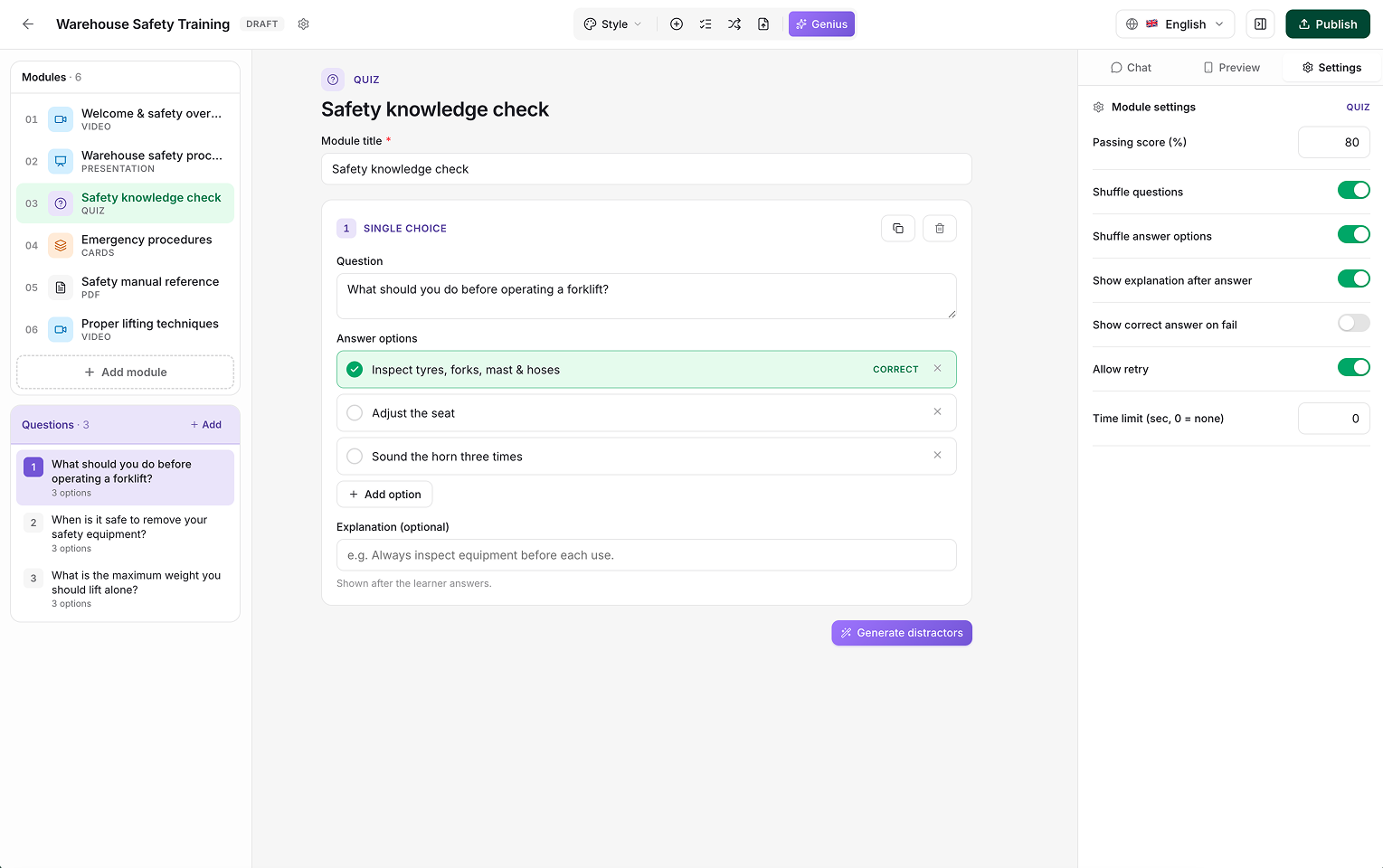
Lesson Editor V2 — prototype screens (developed with Design)
The most important finding from the benchmark wasn't a missing feature — it was a missing paradigm. Genius is powerful, but it runs parallel to the editing experience. The tools pulling ahead have AI that lives inside the block — you highlight text, you click a button, the block changes. The difference between a feature and an interaction paradigm is the difference between 'the tool can do AI' and 'AI is part of how I write'.
Reflection
Running a benchmark across 15 tools alone is only useful if you have a framework that makes results comparable. Building the five content creation paradigms was the most intellectually demanding part of the project — and the part that made the analysis tell a story instead of producing a feature checklist. The paradigm question — how does the person interact, not what can the tool do — is one I’ll bring to every competitive analysis I run.